AXI Manager
R2026b
Note
MATLAB AXI master has been renamed to AXI manager. In the software and documentation, the terms "manager" and "subordinate" replace "master" and "slave" respectively.
Access on-board memory locations from MATLAB or Simulink by using the AXI manager IP in your FPGA design. This IP connects to subordinate memory locations on the board. The IP also responds to read and write commands from MATLAB or Simulink, over JTAG, PCI Express®, or PL Ethernet interface.
To use AXI Manager functionality, you must download a required hardware support package. Available support packages are:
HDL Coder™ Support Package for Intel® FPGA and SoC Devices
SoC Blockset™ Support Package for AMD FPGA and SoC Devices
Functions
setupAXIManagerForQuartus | Add AXI manager IP path to Quartus project |
readmemory | Read data out of AXI4 memory-mapped subordinates |
writememory | Write data to AXI4 memory-mapped subordinates |
release | Release JTAG or Ethernet cable resource |
copyImageToHostSDCardPath | Copy board-specific SD card image files to host SD card location |
loadBitstream | Load custom FPGA bitstream and corresponding DTB file to target SoC device |
Objects
aximanager | Read and write memory locations on FPGA board from MATLAB |
Blocks
 | AXI Manager Read | Read memory locations on FPGA board from Simulink |
 | AXI Manager Write | Write memory locations on FPGA board from Simulink |
Topics
Overview
- Set Up AXI Manager
High-level steps for accessing memory-mapped locations on an FPGA board from MATLAB or Simulink.
AXI Manager Requirements and Preparation
- Set Up FPGA Design Software Tools
Set the MATLAB path to AMD®, Microchip, and Intel software. - Configure Logic Analyzer
Adjust settings in the Logic Analyzer.
AXI Manager Processes
- JTAG AXI Manager
Integrate and configure JTAG AXI manager. - Ethernet AXI Manager
Integrate and configure Ethernet AXI manager for Intel devices. - PCI Express AXI Manager
Integrate and configure AXI manager IP over PCI Express. - Use Simulink to Access FPGA Locations
Access memory-mapped locations on an FPGA board from Simulink. - AXI Manager Simulation
Simulate AXI manager using the Vivado® simulator.
Featured Examples

Access FPGA External Memory Using AXI Manager
Use AXI manager to access external DDR memories connected to an FPGA.
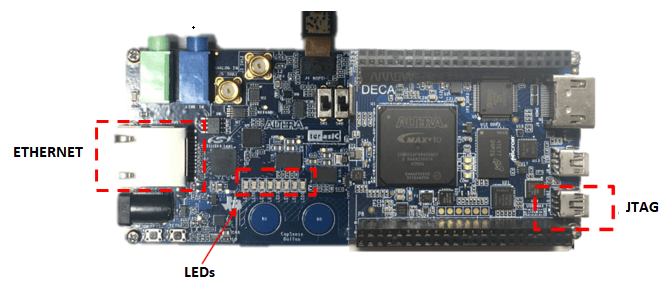
IP Core Generation Workflow with Ethernet-Based AXI Manager
Use Ethernet AXI manager IP to access HDL Coder product generated registers.

