Mass (PB)
R2026bMass (PB) block

To add a block to a model, double-click the canvas and start typing the block name. Then, select the block from the list.
Libraries:
Simscape /
Foundation Library /
Translational /
Elements
Description
The Mass (PB) block represents a point mass with gravitational effects that moves along an inclined rail. Gravity can induce motion along the rail. The force flow equations are:
where:
facc is force proportional to mass acceleration. Positive force accelerates the mass in the positive direction.
f is port force, force of the other mechanical components in the network acting on the mass.
fgp is force proportional to the parallel component of gravitational acceleration, that is, to the gravitational acceleration acting along the rail.
m is the mass.
v is the mass velocity.
g is the gravitational acceleration.
β is the rail incline angle.
The Mechanical Translational Properties (PB) block specifies the gravitational acceleration and rail incline angle in the network. For more information, see Interpreting Logged Forces in Mass Blocks.
Variables
To set the priority and initial target values for the block variables prior to simulation, use the Initial Targets section in the block dialog box or Property Inspector. For more information, see Set Priority and Initial Target for Block Variables.
Nominal values provide a way to specify the expected magnitude of a variable in a model. Using system scaling based on nominal values increases the simulation robustness. Nominal values can come from different sources, one of which is the Nominal Values section in the block dialog box or Property Inspector. For more information, see Modify Nominal Values for a Block Variable.
Examples
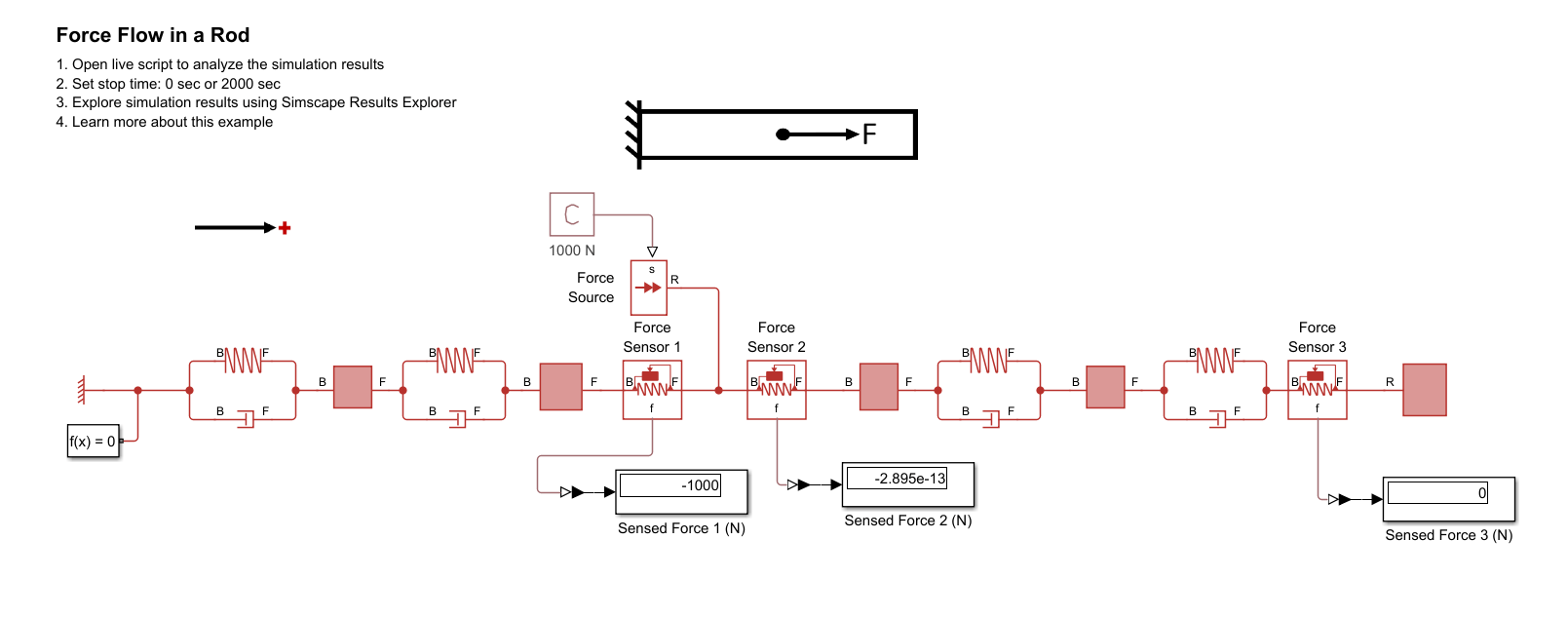
Force Flow in the Position-Based Translational Domain
Describes how to interpret forces in a Simscape™ mechanical position-based translational network. The example summarizes rules for interpreting the signs of logged forces and then considers forces in three types of systems: springs being pulled or pushed from different ends, simple systems with external forces applied at a mid-point, and a more complex system with an external force applied at the mid-point.
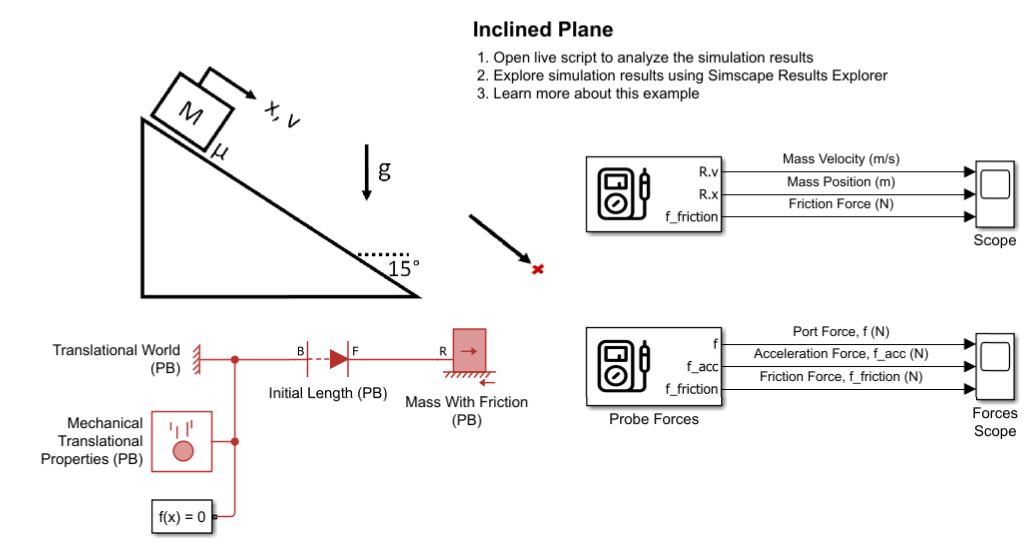
Gravity and Friction in the Position-Based Translational Domain
Configure gravity and friction due to gravity in a mechanical position-based translational network.
Ports
Conserving
Parameters
Programmatic Use: Add Block
To add the block programmatically, use the add_block function with one of these library block paths as the source.
"fl_lib/Translational/Elements/Mass (PB)"
Example: add_block("fl_lib/Translational/Elements/Mass (PB)","myModel/myBlock",MakeNameUnique="on")
For information about programmatic access to individual block parameters, see the Programmatic Use section of parameter descriptions on this page.

