Main Content

playrec

R2026b

Play and record simultaneously

Since R2025a

    Description

    playrec(as,audioOut) plays and records audio simultaneously. Calling playrec starts a new recording and deletes any recorded data that was not previously read.

    The default recording length is size(audioOut,1). If you have pre-buffered audio data in the playback queue, the recording length is size(audioOut,1) plus the length of audio data in the playback queue.

    example

    playrec(as,audioOut,numSamples) specifies the number of samples to record.

    playrec(as) plays queued audio and records simultaneously. The default recording length is the length of data in the playback queue. The function errors if no audio data is in the playback queue. Add audio data to the playback queue using write while playback is paused on as.

    recordedAudio = playrec(___) returns the recorded audio data. With this syntax, the function blocks MATLAB® execution until recording completes.

    Examples

    collapse all

    You can play and record audio simultaneously on a full-duplex device using audiostreamer. In this example, you use a full-duplex device to measure an impulse response. Create an audiostreamer object in "full-duplex" mode with a sample rate of 48,000 Hz and one output channel.

    as = audiostreamer("full-duplex",48e3, ...
        Driver="ASIO", ...
        Player="Focusrite USB ASIO", ...
        PlayerChannels=1, ...
        Recorder="Focusrite USB ASIO");

    Create a sweeptone excitation signal. The excitation signal has a two-second exponential swept sine followed by one second of silence. Call playrec to play the excitation signal while recording simultaneously. Calling playrec with the output argument blocks MATLAB until the recording is finished.

    x = sweeptone(2,1,as.SampleRate);
    y = playrec(as,x,size(x,1));

    Use impzest to compute the impulse response from the excitation and recorded response. Plot the impulse response.

    ir = impzest(x,y);
    t = (1:size(ir,1))/as.SampleRate;
    plot(t,ir)
    xlabel("Time (s)")
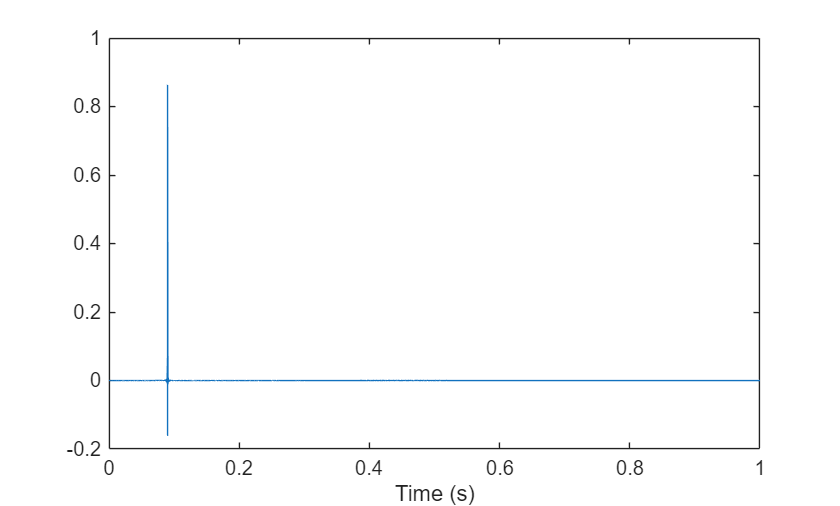
    Figure contains an axes object. The axes object with xlabel Time (s) contains an object of type line.

    Input Arguments

    collapse all

    The audiostreamer object used to play and record the audio.

    Audio data to play on the device, specified as a column vector or matrix where the columns correspond to independent audio channels.

    Data Types: single | double

    Number of audio samples to record, specified as a positive integer.

    Data Types: single | double | int8 | int16 | int32 | int64 | uint8 | uint16 | uint32 | uint64

    Output Arguments

    collapse all

    Recorded audio data, returned as a matrix where columns correspond to individual audio channels. The number of recorded samples depends on the input parameters and state of the playback queue:

    Call to playrec functionState of playback queue of asNumber of samples in recordedAudio
    playrec(as,audioIn)Playback buffer is emptysize(audioOut,1)
    playrec(as,audioIn)Playback buffer has audio datasize(audioOut,1) plus the length of audio data in the playback queue
    playrec(as)Playback buffer has audio dataLength of audio data in the playback queue
    playrec(as,audioIn,numSamples)Playback buffer is empty or has audio datanumSamples

    Version History

    Introduced in R2025a

    See Also

    Objects

    Functions