Working with Generated Fixed-Point Files
R2026bThis example shows how to work with the files generated during floating-point to fixed-point conversion and demonstrates the file structure of the generated fixed-point code.
MATLAB® Code
This example uses a simple floating-point filter and a test bench that exercises the filter.
MATLAB Design: mlhdlc_filter
MATLAB testbench: mlhdlc_filter_tb
To check for run-time errors, simulate the design with the test bench prior to code generation.
mlhdlc_filter_tb
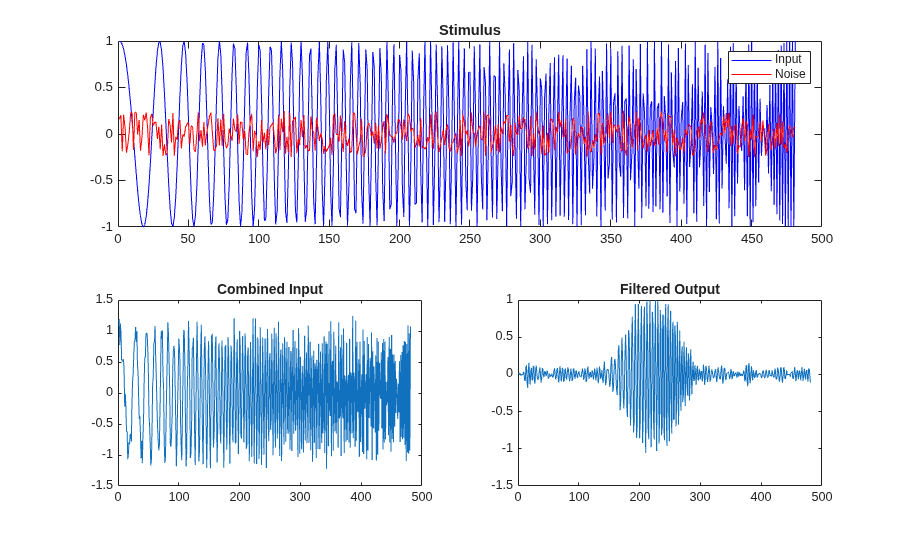
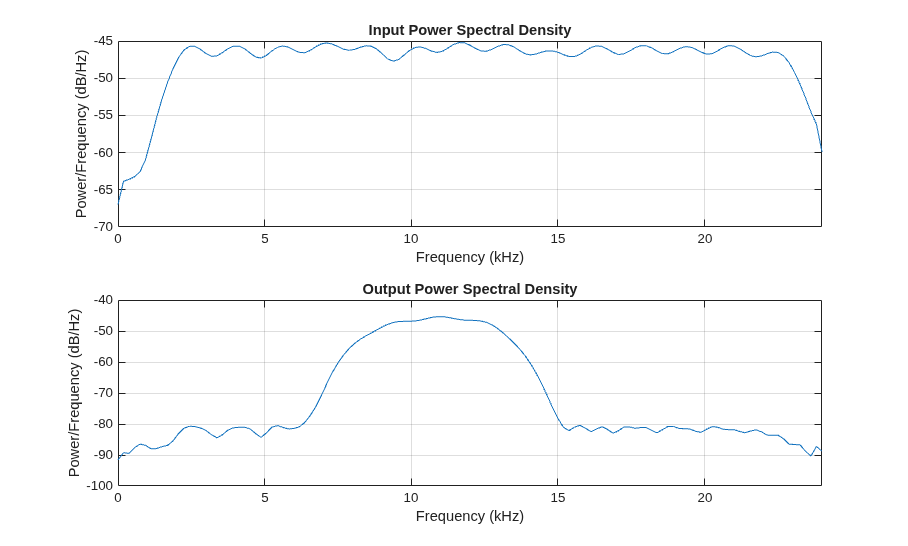
Create a New HDL Coder™ Project
Create a new HDL Coder project.
coder -hdlcoder -new flt2fix_project
In the HDL Workflow Advisor, in the Fixed-Point Conversion list, select Convert to fixed-point at build time.
Add mlhdlc_filter as the MATLAB Function and mlhdlc_filter_tb as the MATLAB Test Bench.
Fixed-Point Code Generation Workflow
In the Tasks pane, select Fixed-Point Conversion.
To generate an instrumented MEX file that enables signal logging during simulation, click Analyze Design.
To execute the instrumented floating-point simulation, click Propose Types.
Floating-Point Design Structure
For floating-point to fixed-point conversion:
The design must be a function.
The test bench must be a script or a function with no inputs. The test bench can have local helper functions that take inputs.
There must be at least one call to the design in the test bench. The tool uses all calls to the design when analyzing ranges to propose fixed-point types.
Both the design and test bench can call sub-functions in the file or functions on the MATLAB path. Built-in functions are not converted to fixed-point.
This image shows the relationship between the original floating point design and the test bench.
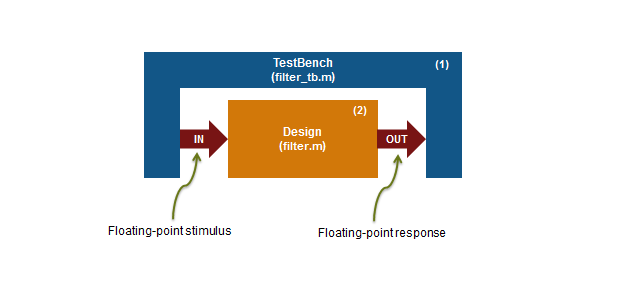
In this example, the MATLAB test bench mlhdlc_filter_tb has a single call to the design function mlhdlc_filter. The test bench calls the design with floating-point inputs and accumulates the floating-point results.
Validate Types
To validate the proposed fixed-point types for the design, click Validate Types.
The type validation process performs these steps.
Create a new design wrapper file. In this example, the wrapper file is
mlhdlc_filter_wrapper_fixpt.m.Use the wrapper file to convert the floating-point data values from the test bench to the proposed fixed-point types.
Save the fixed-point design as a new file. In this example, the fixed-point design file is
mlhdlc_filter_fixpt.m.Convert functions that are defined locally in the floating-point design to fixed-point and include these functions in the fixed-point design.
Use the fixed-point design file to generate HDL code.
Store generated fixed-point files in the output directory. In this example, files are stored in
codegen/mlhdlc_filter/fixpt.
This image shows the structure of the files that are created by type validation.
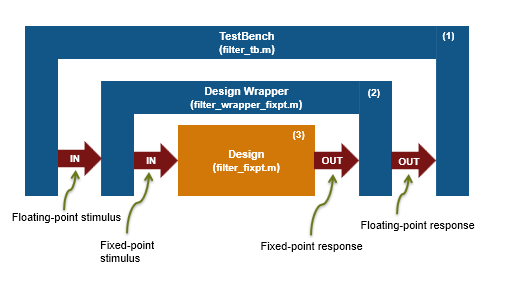
Click the links to the generated code in the Workflow Advisor Output Logs pane to examine the generated fixed-point design and wrapper.

