union
R2026bDescription
g3 = union(___,KeepBoundaries=boundaries)
Examples
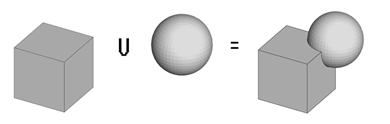
Merge geometries representing a cylinder and a cuboid into one geometry.
Create and plot a hollow cylinder geometry.
gcyl = multicylinder([4 5],10,Void=[true false]);
pdegplot(gcyl,CellLabels="on")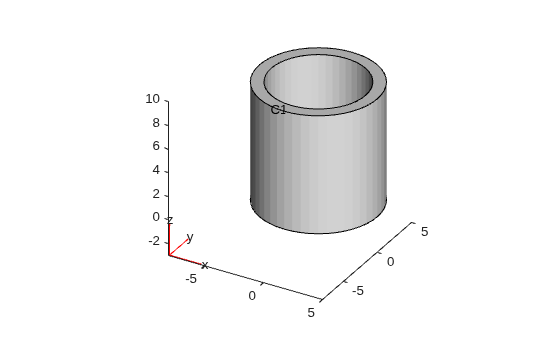
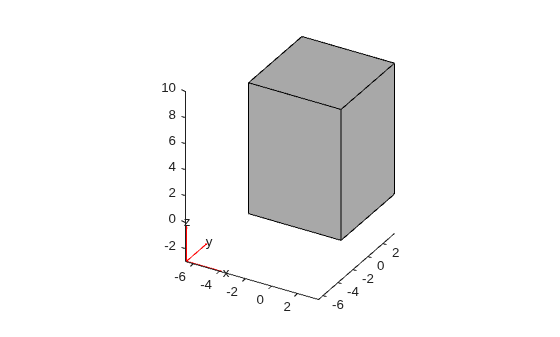
Create and plot a single cuboid geometry.
gcube = multicuboid(sqrt(50),sqrt(50),10);
pdegplot(gcube)
Convert both geometries to fegeometry objects.
gcyl = fegeometry(gcyl);
gcube = fegeometry(gcube);
Merge the geometries into one by using the Boolean union operation.
g = union(gcyl,gcube);
Plot the resulting geometry with cell labels.
pdegplot(g,CellLabels="on",FaceAlpha=0.3)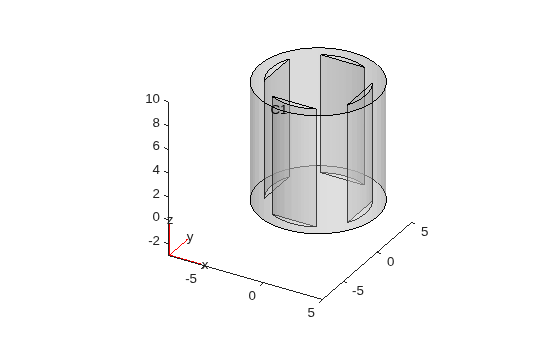
Create a geometry representing a heat sink with a base plate and 12 cylindrical fins.
First, create and plot a geometry of the base.
gBase = multicuboid(0.01,0.008,0.0005);
gBase = translate(gBase,[0.005,0.004,0]);
gBase = fegeometry(gBase);
pdegplot(gBase,CellLabels="on")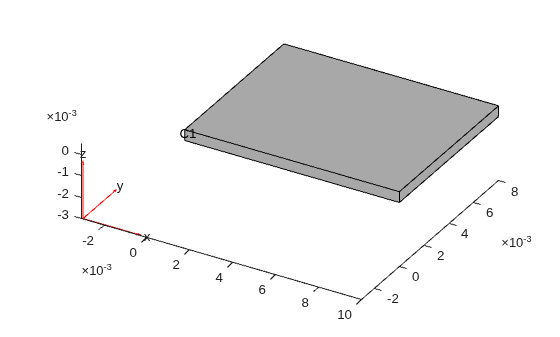
Create a geometry representing one fin.
gFin = multicylinder(0.0005,0.005);
gFin = fegeometry(gFin);
Now, create geometries representing 12 fins by shifting the original fin to locations on top of the base.
g = fegeometry;
k = 0;
for i = 0.002:0.002:0.008
   for j = 0.002:0.002:0.006
       k = k + 1;
       gFinT(k) = translate(gFin,[i,j,0.0005]);
   end
end
Merge the geometry of the base with the geometries of the fins by using the Boolean union operation.
g = union(gBase,gFinT);
Plot the resulting heat sink geometry with cell labels.
pdegplot(g,CellLabels="on")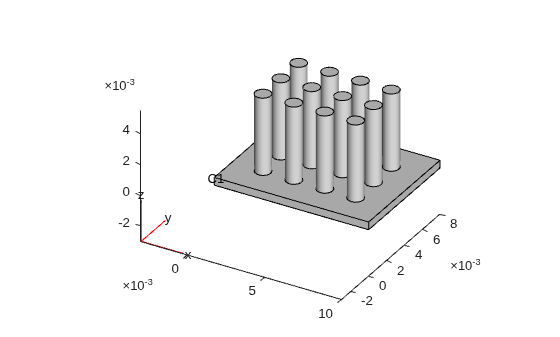
Merge two cubes into one geometry while preserving the original boundaries.
Create a geometry of a unit cube.
g1 = fegeometry(multicuboid(1,1,1));
Create the second cube by moving the original cube along the z-axis.
g2 = translate(g1,[0 0 0.7]);
Merge the two geometries into one by using the Boolean union operation. By default, the union function does not preserve any boundaries that become internal in the merged geometry. Plot the resulting geometry with cell labels.
g = union(g1,g2);
pdegplot(g,FaceAlpha=0.3,CellLabels="on")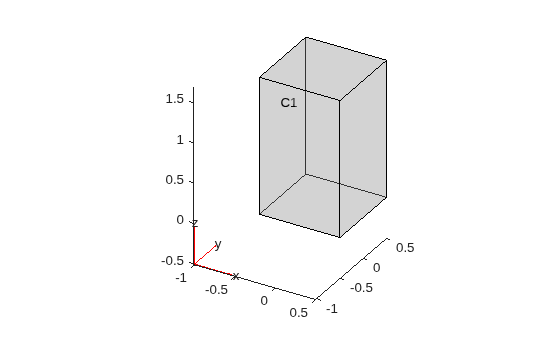
Merge the same two geometries, but this time use the KeepBoundaries argument to preserve all boundaries of both geometries. Plot the resulting geometries.
g = union(g1,g2,KeepBoundaries=[true true]);
pdegplot(g,FaceAlpha=0.3,CellLabels="on")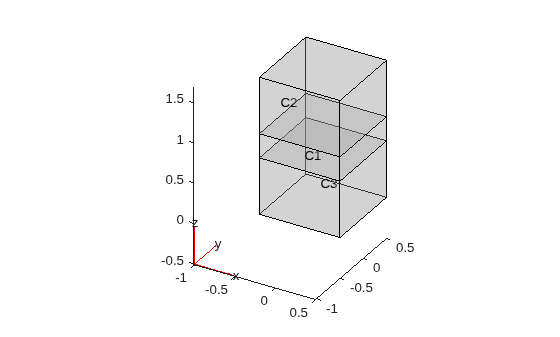
Merge the geometries again. This time, specify that the merged geometry must preserve all boundaries of the second geometry (g2) but not the boundaries of the first geometry (g1) that become internal in the merged geometry. Plot the resulting geometry.
g = union(g1,g2,KeepBoundaries=[false true]);
pdegplot(g,FaceAlpha=0.3,CellLabels="on")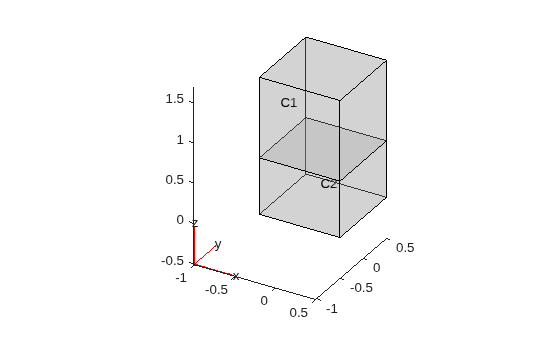
Since R2026a
Combine multiple cubes in one geometry.
Create a geometry representing a unit cube.
gmcube = fegeometry(multicuboid(1,1,1));
Create a vector of geometries by rotating the cube by 30 and 60 degrees.
angle = [0 30 60];
for k = 1:numel(angle)
    gv(k) = rotate(gmcube,angle(k));
end
Combine the geometries and plot the result.
gm = union(gv);
pdegplot(gm)
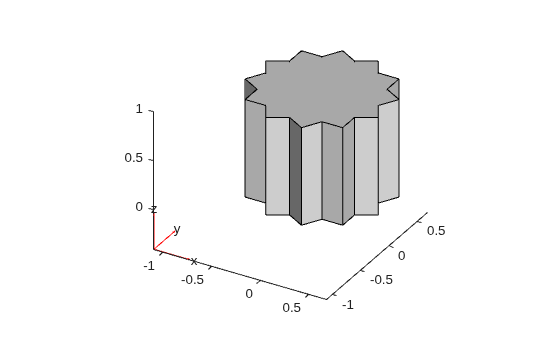
Now, combine the geometries while preserving the original boundaries of each cube.
gm = union(gv,KeepBoundaries=true);
pdegplot(gm)
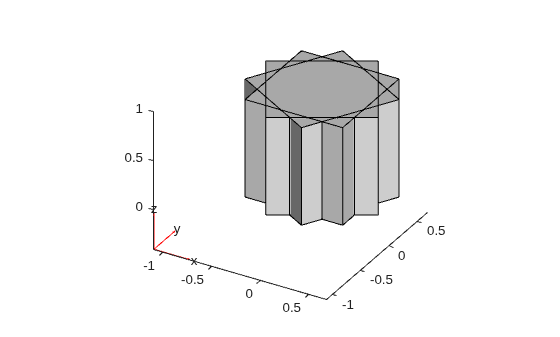
Since R2026b
Merge geometries representing a square and two circles into one geometry.
Create and plot the geometries of a square and two circles.
gsquare = fegeometry(@squareg);
gcircle = fegeometry(@circleg);
gcircle1 = translate(gcircle,[0 1]);
gcircle2 = translate(gcircle,[0 -1]);
pdegplot(gsquare)
hold on
pdegplot(gcircle1)
pdegplot(gcircle2)
hold off
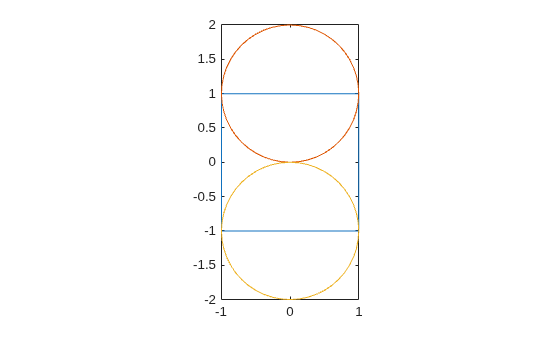
Merge the geometries into one geometry by using the Boolean union operation.
g = union([gsquare,gcircle1,gcircle2]);
Plot the resulting geometry with face labels.
pdegplot(g,FaceLabels="on")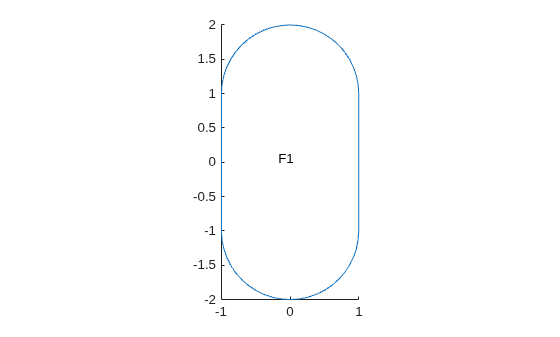
Input Arguments
Output Arguments
Tips
When creating a 3-D geometry,
unionuses the default threshold of 44 degrees for the dihedral angle between adjacent triangles. If the angle between the triangles exceeds the threshold, the edge becomes a topological (feature) edge separating two faces. If the angle does not exceed the threshold,uniondoes not create a topological edge with two separate faces, unless the function can create the edge based on other criteria. Instead,unioncreates one face.To use a different feature angle value, create a triangulation object from the resulting geometry
g3, and then convert the object back to anfegeometryobject. Set the value of theFeatureAngleargument as a number between 10 and 90. The specifiedFeatureAnglevalue represents degrees.tr = triangulation(g3); g3 = fegeometry(tr,FeatureAngle=15)
The
triangulationfunction accepts only single-domain geometries, sog3must have one cell.Boolean operations on
AnalyticGeometryorDiscreteGeometryobjects return anfegeometryobject.

