Utilities
R2026bThe Utilities library contains required and commonly used blocks for setting simulation environment, interfacing with Simulink models, and generating custom components on-the-fly.
This page also contains information about command-line workflows for creating models, programmatically adding and removing connections between physical ports, and setting up utilities for working with certain block types.
Simscape Blocks
 | Array Connection | Concatenate arrays of conserving connections into single array-of-nodes port (Since R2025a) |
 | Connection Label | Virtual connection between conserving ports |
 | Connection Port | Physical Modeling connector port for subsystem |
 | Probe | Output block variables as signals during simulation |
 | PS-Simulink Converter | Convert physical signal into Simulink output signal |
 | Simulink-PS Converter | Convert Simulink input signal into physical signal |
 | Simscape Bus | Bus for conserving connection lines |
 | Simscape Component | Deploy Simscape language component as block |
 | Solver Configuration | Physical network environment and solver configuration |
 | Variant Connector | Remove or disconnect physical components from network |
Blocks
 | Spectrum Analyzer | Display frequency spectrum |
Functions
Topics
Basic Techniques
- Creating a New Simscape Model
Quick way to create a new model. - Essential Physical Modeling Techniques
Brief summary of physical modeling rules and techniques. - Modeling Best Practices
How to use best practices in your model architecture to avoid numerical simulation issues.
Connection Buses
- Design Rigid Interface Specifications for Conserving Connections
Lock down connection types for Simscape Bus and Connection Port blocks.
Variants
- Using Variant Connectors to Implement Variations in Physical Networks
Implement variations in physical network.
Featured Examples
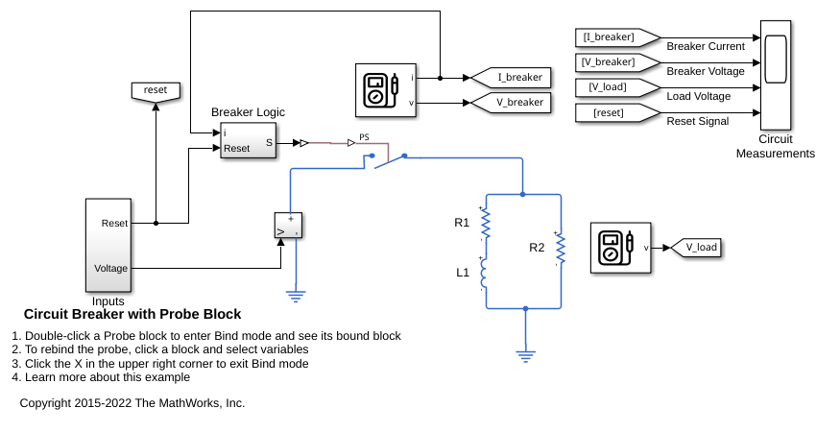
Circuit Breaker with Probe Block
Models a circuit breaker using a Simscape Probe block to access the current and voltage within the electrical switch block and another Simscape Probe block to access the voltage across a load.
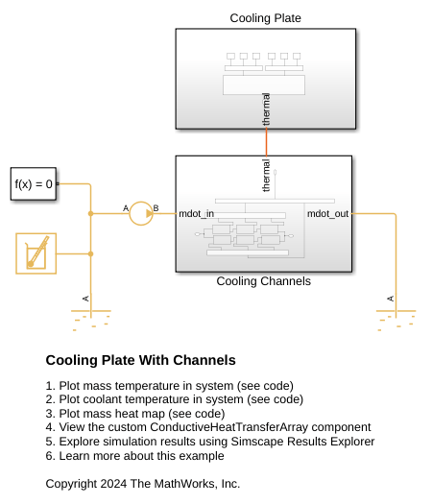
Cooling Plate with Channels
A discretized cooling plate with cooling channels, divided into six segments: three on the top and three on the bottom. Each cooling plate segment is modeled as a thermal mass, while cooling channels are modeled using the Pipe (TL). The ConductiveHeatTransferArray, a custom component, models thermal conduction between the cooling plate segments.
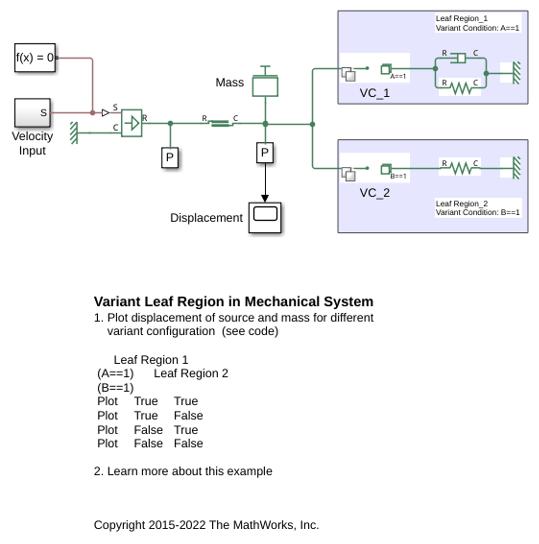
Variant Leaf Region in Mechanical System
Simulate the displacement of velocity sources and mass for different variant configurations using leaf type Variant Connector blocks. Variant Connector blocks allow you to activate or deactivate a set of components in the network during simulation without having to physically remove the components or exclude them from simulation.
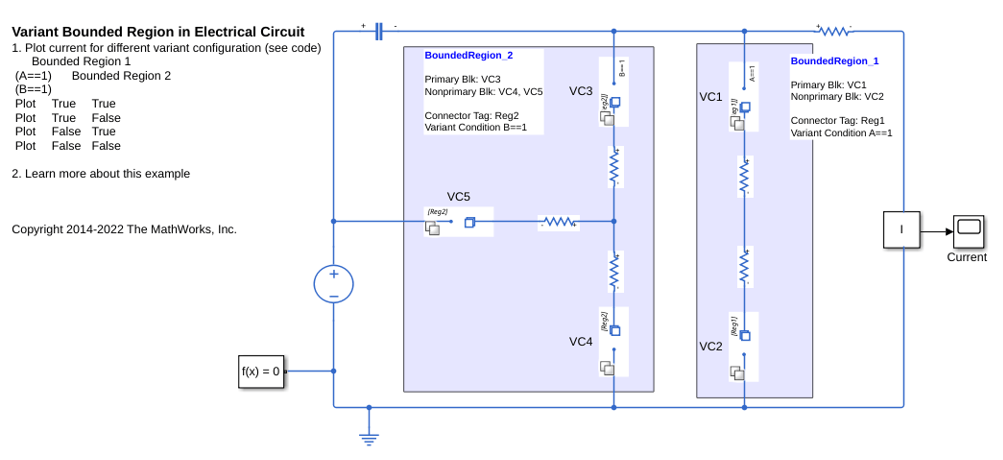
Variant Bounded Region in Electrical Circuit
Simulate the flow of a current in an electrical circuit for different variant configurations using primary and nonprimary type Variant Connector blocks. Variant Connector blocks allow you to activate or deactivate a set of components in the network during simulation without having to physically remove the components or exclude them from simulation.
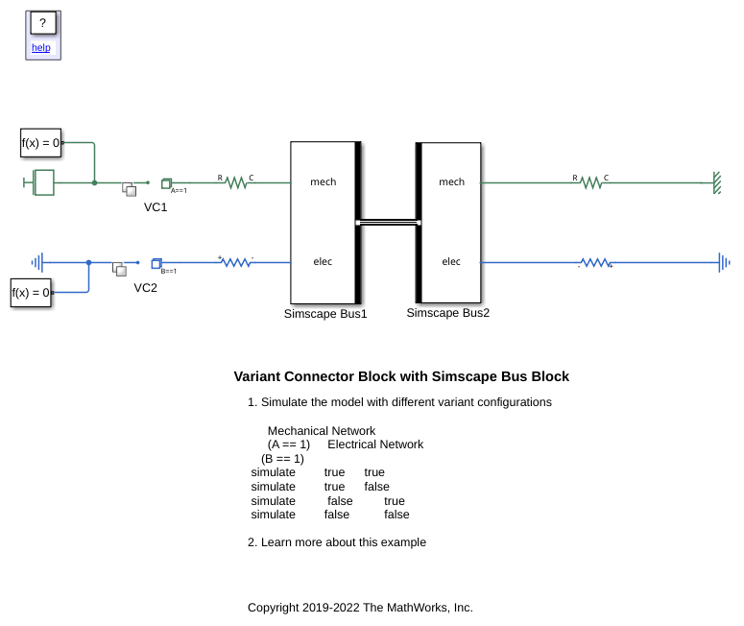
Variant Connector Block with Simscape Bus Block
Use Variant Connector blocks with the Simscape Bus block.
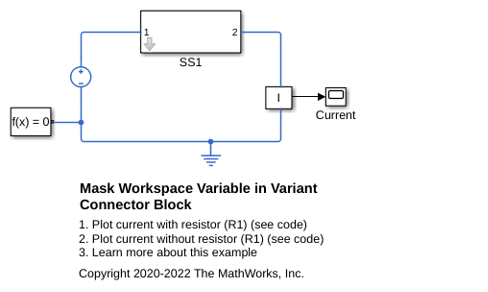
Mask Workspace Variable in Variant Connector Block
Use a mask workspace variable as a variant control variable in a Variant Connector block.

