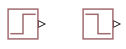
PS Step
R2026bGenerate physical signal shaped as step function
PS Step block

To add a block to a model, double-click the canvas and start typing the block name. Then, select the block from the list.
Libraries:
Simscape /
Foundation Library /
Physical Signals /
Sources
Description
The PS Step block generates a physical signal that starts at a specified initial value and changes instantaneously to a new value at a specified time. The Step time, Initial value, and Final value parameters determine the characteristics of the output signal:
The Step time parameter determines when the signal value changes from Initial value to Final value.
The Initial value and Final value parameter values determine whether the output signal is a scalar, vector, or matrix. If one of these parameters is a vector or a matrix, the other must be a vector or a matrix of the same size or a scalar. The output signal is then also a vector or a matrix of the same size.
The Initial value and Final value parameters must have commensurate units. The unit at the output port is determined by unit propagation rules. If the two parameters have the same units, then the output signal unit is also the same. If the parameter units are different, then the unit of the output signal is the base unit commensurate with the units of the parameters. For more information, see Physical Signal Unit Propagation.
Ports
Output
Parameters
Programmatic Use: Add Block
To add the block programmatically, use the add_block function with one of these library block paths as the source.
"fl_lib/Physical Signals/Sources/PS Step"
Example: add_block("fl_lib/Physical Signals/Sources/PS Step","myModel/myBlock",MakeNameUnique="on")
For information about programmatic access to individual block parameters, see the Programmatic Use section of parameter descriptions on this page.
Extended Capabilities
Version History
Introduced in R2021aStarting in R2026a, the block icon flips if the Initial value is greater than the Final value.