Simulink Functions
R2026bYou can use Simulink functions to define functions that are accessible in the Simulink model hierarchy. A Simulink function calculates a set of outputs based on the provided inputs and the implemented behavior of the function. You can use Simulink functions to:
Specify the function prototype which includes the function name, input and output arguments, for example,
y = f(u).Implement function behavior in the Simulink environment using a Simulink Function block, an exported function from a Stateflow® chart, or an S-Function block.
Call and reuse your function across the model hierarchy.
For more information, see Simulink Functions Overview.
Blocks
 | Simulink Function | Define a function using Simulink blocks |
 | Chart | Implement control logic with finite state machine |
 | Function Caller | Call a Simulink function |
 | MATLAB Function | Include MATLAB code in Simulink models |
| Chart | Implement control logic with finite state machine |
 | Inport | Create input port for subsystem or external input |
 | Outport | Create output port for subsystem or external output |
 | Function Element | Specify function to provide via exporting function port (Since R2022a) |
 | Function Element Call | Specify function call to issue via invoking function port (Since R2022a) |
Topics
Understanding Simulink Functions
- Simulink Functions Overview
Use Simulink functions to define functions that are accessible in the Simulink model hierarchy. - Define a Simulink Function in a Model
Define a Simulink function using a Simulink Function block, an exported Stateflow function, or an S-Function block. - Call a Simulink Function from a Model
Call a Simulink function using a Function Caller block, a Stateflow chart, a MATLAB Function or MATLAB System block, an S-Function block, or an event action of a SimEvents® block. - Scoped, Global, and Port-Scoped Simulink Function Blocks Overview
Specify visibility and access of Simulink Function blocks. - Simulink Function Blocks in Referenced Models
Add and access functions in model components.
Scoped Simulink Functions
- Scoped Simulink Function Blocks in Subsystems
Limit the scope of a function to a subsystem. - Scoped Simulink Function Blocks in Models
Limit the scope of a function to a model. - Resolve Error: Block Is Unable to Call the Scoped Simulink Function
Troubleshoot block unable to call the function error in Simulink.
Port-Scoped Simulink Functions
- Model Client and Server Components Using Function Ports
Use function ports to model client and server components in a service-oriented architecture. - Service Interfaces Overview (System Composer)
Create client and server ports, author service interfaces, and simulate service-oriented communication.
Related Information
- Model Service-Oriented Communication Between Sensors (System Composer)
- Simulate Asynchronous Services for Vehicle Headlight Management (System Composer)
- Trigger Simulink Components with Discrete Events in SimEvents (SimEvents)
- AUTOSAR Client-Server Communication (AUTOSAR Blockset)
- Generate Reentrant Code from Simulink Function Blocks (Embedded Coder)
Featured Examples
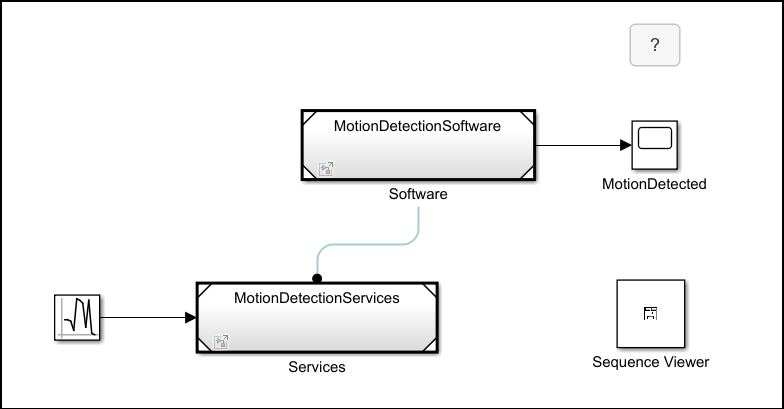
Model Service Access from Application Software Using Scoped Simulink Functions
Model services and accessing these services from a separate component.
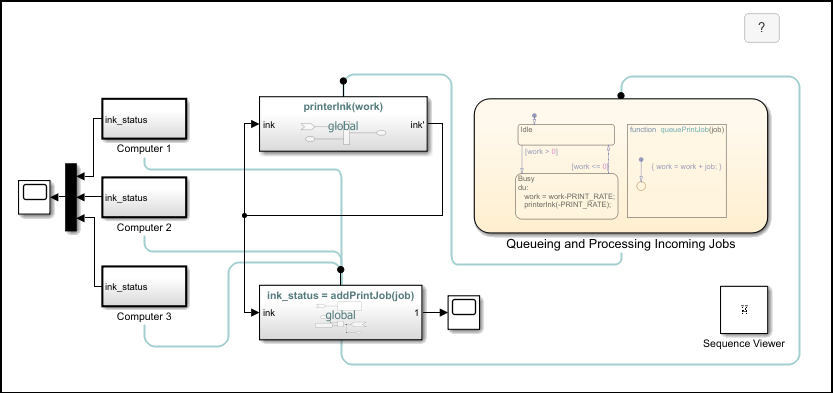
Monitor Ink Status on Shared Printer Using Simulink Functions
How multiple clients can send requests to a server and receive a status from the server. Using Simulink® functions, different subsystems can call functions from other subsystems and interact in Simulink and Stateflow®. In this example, you model the ink status monitoring of a shared printer using Simulink functions.
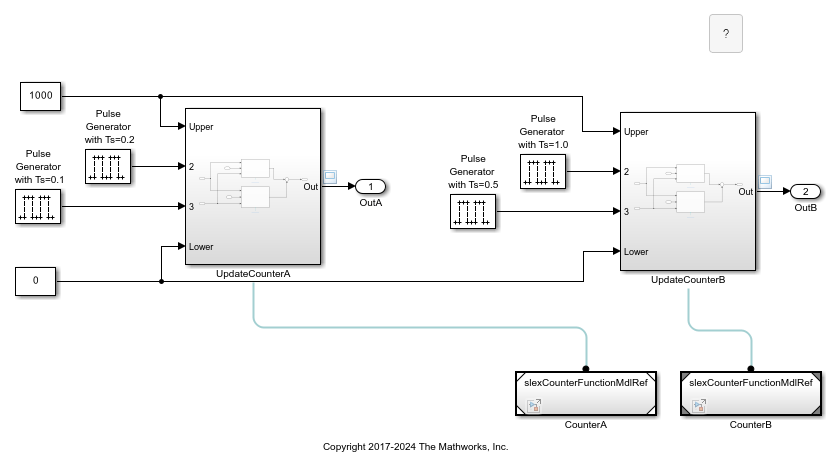
Reuse Multiple Instances of a Simulink Function
To reuse components, use multiple instances of a function.
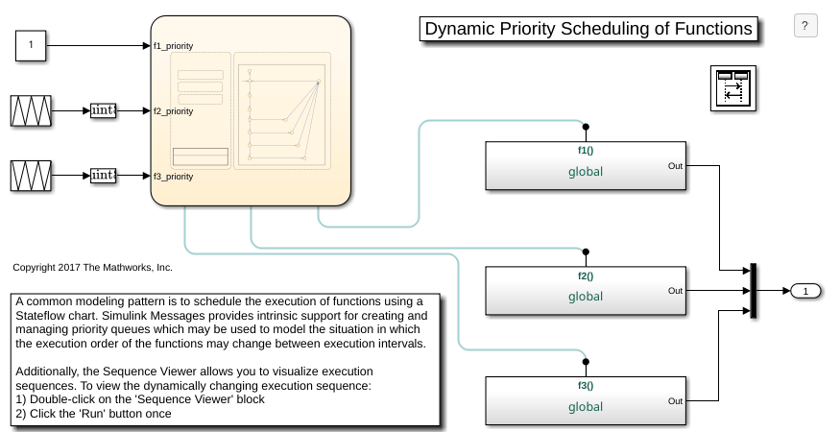
Dynamic Priority Scheduling of Functions
A common modeling pattern to dynamically schedule the execution of functions using a Stateflow® chart.
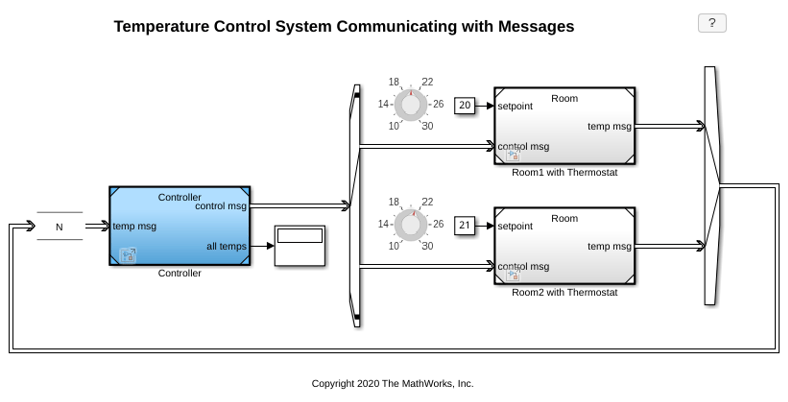
Temperature Control System Communicating with Messages
Distributed control of room temperatures by processing messages from room thermostats and communicating control commands using messages to different receivers.
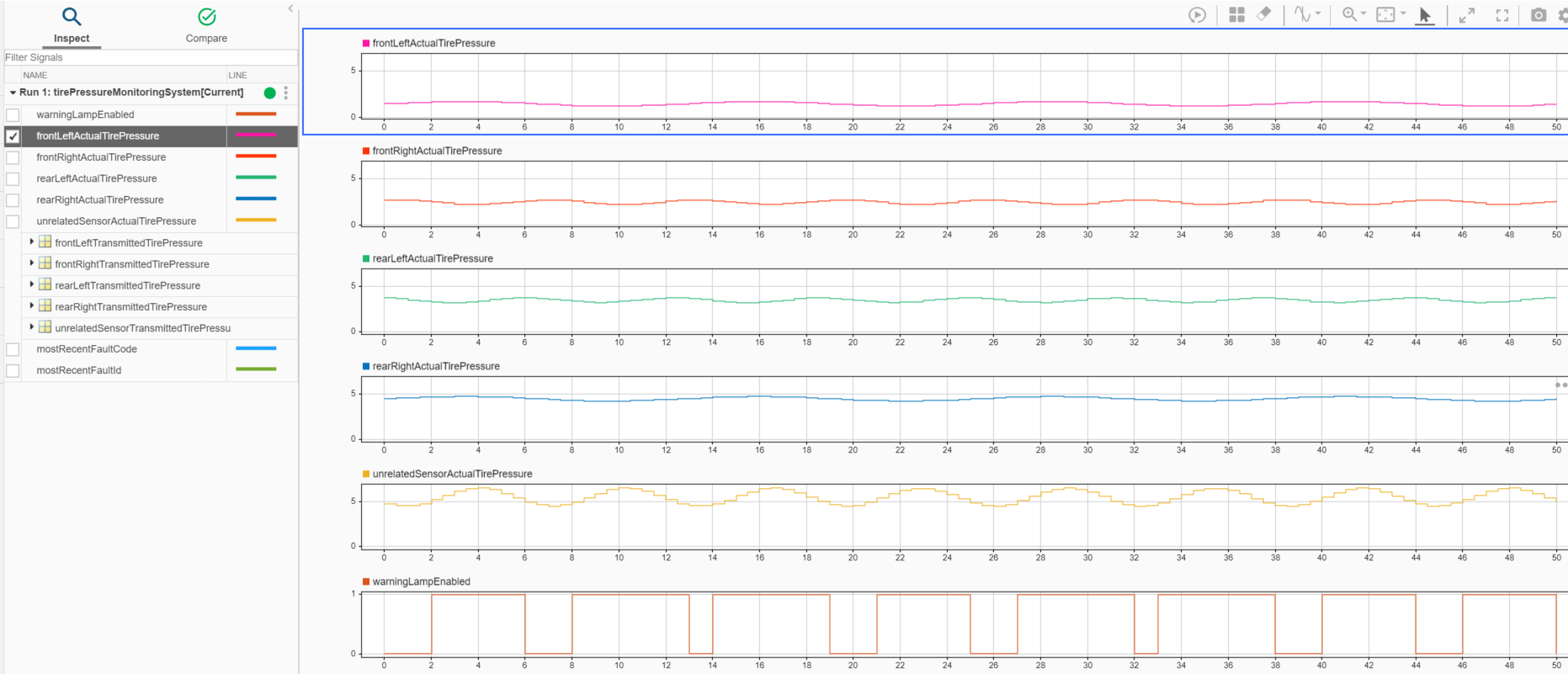
Wireless Tire Pressure Monitoring System with Fault Logging
Model a wireless tire pressure monitoring system with fault logging using message communication.

