State Transition Tables
R2026bDesign your combinatorial logic in tabular form by using state transition tables. State transition tables provide an easy on-ramp for learning Stateflow® and are an ideal solution for simple, process-oriented, sequential state machines. Detect modeling errors by running diagnostic checks, setting breakpoints, and stepping through actions while monitoring data values.
Blocks
 | State Transition Table | Represent modal logic in tabular format |
Functions
convertToChart | Convert state transition table to Stateflow chart (Since R2023b) |
convertToSTT | Convert Stateflow chart to state transition table (Since R2023b) |
exportAsStruct | Export contents of state transition table as structure array (Since R2022b) |
Topics
- Model State Transition Tables by Using State Transition Table Blocks
Use state rows, transition columns, and the Symbols pane to define a state transition table.
- Create Parallel States in State Transition Tables
Execute states at the same time by using parallel decomposition.
- Enable Logging and Breakpoints in State Transition Tables
Debug state transition tables by logging states and data, and adding breakpoints to states and transitions.
- Inspect the Design of State Transition Tables
Verify that the logic in your state transition table behaves as intended.
Featured Examples
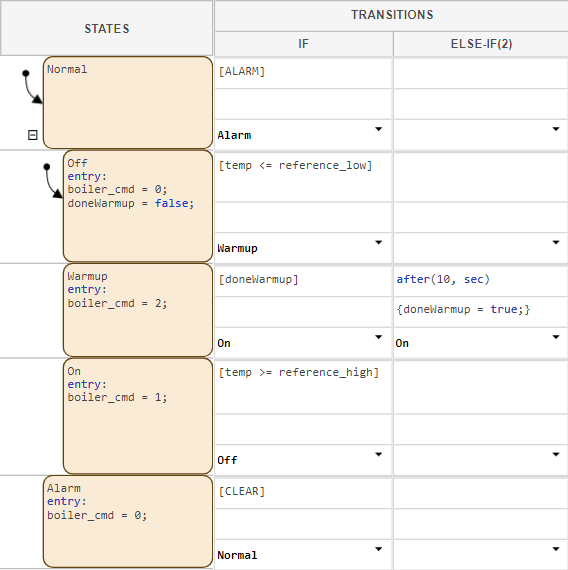
Model Bang-Bang Controller by Using a State Transition Table
Use a state transition table to model a temperature regulator.

