Label
R2026bLabel connected components in binary image
Label block

To add a block to a model, double-click the canvas and start typing the block name. Then, select the block from the list.
Libraries:
Computer Vision Toolbox /
Morphological Operations
Description
The Label block finds and labels the connected components or objects in a 2-D binary image. The block ignores the background pixels in the input image and searches for connected components within remaining pixels. The block then labels all the pixels of each connected component with a unique number and computes the number of labeled objects.
Examples
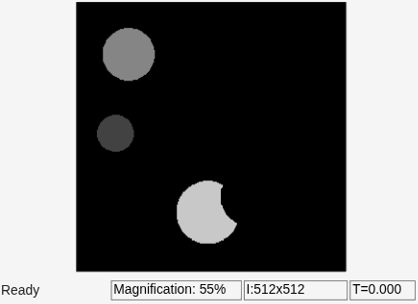
Label Objects in Binary Image
Label objects in a binary image.
Ports
Input
Output
Parameters
Specify how the block defines which pixels are connected to each other. If you want
to connect adjacent pixels in only the horizontal and vertical directions, select
4. If you want to connect adjacent pixels in the horizontal,
vertical, and diagonal directions, select 8. These figures show how
the block defines a connected component for 4-connected and 8-connected pixels. The
block considers the white pixels marked by black circles to be connected to each other.
| Type of Connectivity | Connected Pixels |
|---|---|
| 4-connected pixels |
|
| 8-connected pixels |
|


Specify the block output as one of these options:
Label matrix— The block outputs the labeled objects at the Label port.Number of labels— The block outputs the number of labeled objects at the Count port.Label matrix and number of labels— The block outputs both the labeled objects and number of labeled objects to the Label and Count ports, respectively.
Specify the data type of the outputs at the Label and
Count ports. When you specify this parameter as
Automatic, the block calculates the maximum number of
objects that can fit inside the image based on the image size and the specified
connectivity. Using this calculation, it chooses the output data type with the minimum
value that guarantees unique region labels.
Use this parameter to specify the behavior of the block when the block finds more objects than the maximum possible value the output data type can represent. The block labels the remaining objects with the value determined by one of these options:
maximum value of the output data type— The block labels the remaining objects with the maximum value of the output data type.zero— The block labels the remaining objects with0.
Dependencies
To enable this parameter, set the Output data type parameter
to either uint8 or
uint16.
Block Characteristics
Data Types |
|
Multidimensional Signals |
|
Variable-Size Signals |
|
Programmatic Use: Add Block
To add the block programmatically, use the add_block function with one of these library block paths as the source.
"visionmorphops/Label"
Example: add_block("visionmorphops/Label","myModel/myBlock",MakeNameUnique="on")
Extended Capabilities
Version History
Introduced before R2006a
See Also
Blocks
- Dilation | Erosion | Opening | Closing | Blob Analysis
Functions
bwconncomp|bwselect|regionprops|bwlabel|bwlabeln

