dtmcursor
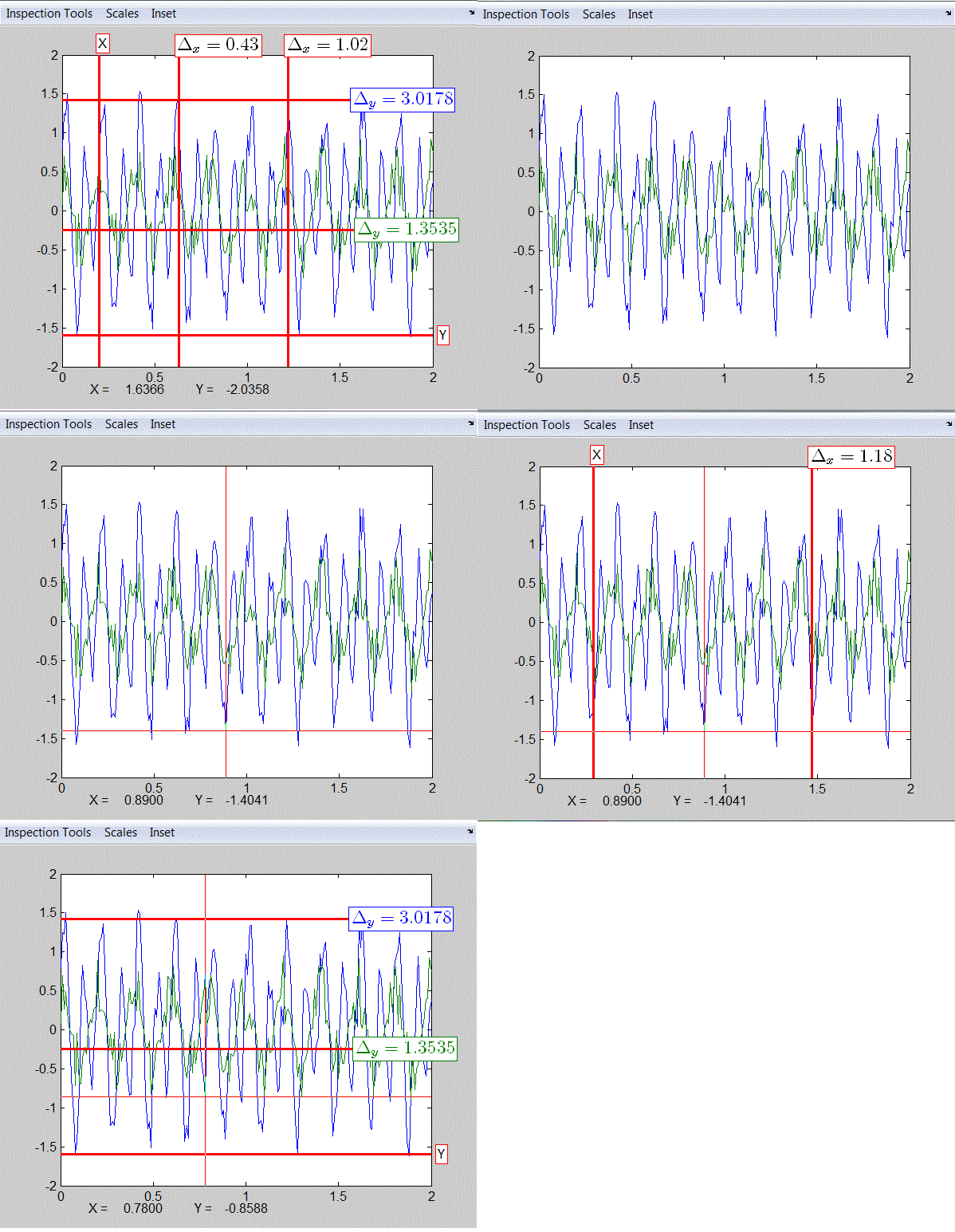
DTMCURSOR implements a cross hair with the ability to set and measure values from x and/or y datums.

You are now following this Submission
- You will see updates in your followed content feed
- You may receive emails, depending on your communication preferences
Cite As
Jonathan Lister (2026). dtmcursor (https://au.mathworks.com/matlabcentral/fileexchange/42675-dtmcursor), MATLAB Central File Exchange. Retrieved .
Acknowledgements
Inspired by: plot crosshairs, dualcursor, Graphical data selection tool, Display Cursor Location
General Information
- Version 1.8.0 (7.06 KB)
MATLAB Release Compatibility
- Compatible with any release
Platform Compatibility
- Windows
- macOS
- Linux
| Version | Published | Release Notes | Action |
|---|---|---|---|
| 1.8.0 | Added ability to export datum and measurement line locations to the base work space as vectors x_pos and y_pos. |
||
| 1.6.0 | Cursors can snap to data... delta-y can change color, added static methods, case insensitive parameter value pair input. |
||
| 1.5.0 | Added Keypress commands to control SnapToNearest and crosshair visability. Made datums and measurement lines draggable. Changed the default line and edge colors to red. Changed the default line style to solid. |
||
| 1.3.0 | corrected some comments in the file |
||
| 1.2.0 | Added many new properties, all text except for datum labels can be re-positioned via mouse. SnapToNearest causes the crosshair to be constrained to the closest line value. Use set(obj,'SnapToNearest',false) to turn that feature off. |
||
| 1.1.0 | Added labels to the X and Y datums. I had a dependency on a function called "draggable" that I eliminated. Cursor and delta value text can now be re-positioned by dragging with mouse. |
||
| 1.0.0 |

