You are now following this Submission
- You will see updates in your followed content feed
- You may receive emails, depending on your communication preferences
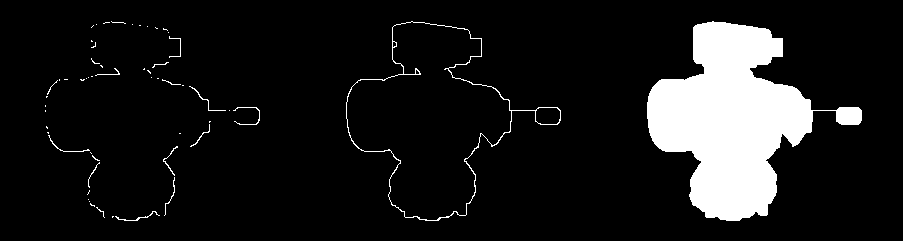
Checks each pixel of a logical array to see if it is connected to other pixels in at least two directions. If it's not, it attempts to draw connections to the nearest unconnected pixel until it is, or until it reaches the maximum layer, rMax.
The region and checking order of nearby pixels are given by the edgeVecs vector (see edgeVecs folder), and r indexes the layers to check.
The goal is to take an outline with holes and breaks and create a continuous boundary which can then be used with e.g. imfill(mask,'holes') to create a contiguous region.
**Note**
The behavior of the algorithm can be changed by editing the edgeVecs array, which makes it very flexible to specific applications, while still allowing a general user to use a common pattern from the sample folder.
I have optimized it as much as possible and created a mex function which is very fast.
Cite As
Keith Coffman (2026). Connect Pixels (https://au.mathworks.com/matlabcentral/fileexchange/57062-connect-pixels), MATLAB Central File Exchange. Retrieved .
Acknowledgements
Inspired by: Bresenham optimized for Matlab
General Information
- Version 1.2.0.0 (4.06 KB)
MATLAB Release Compatibility
- Compatible with any release
Platform Compatibility
- Windows
- macOS
- Linux
