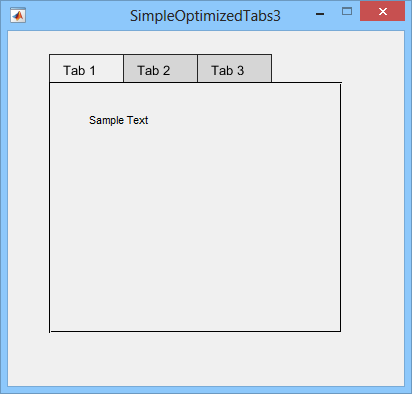
Simple Optimized GUI Tabs
The most simple and optimized way to create tab panels using GUIDE in 3 easy steps.

You are now following this Submission
- You will see updates in your followed content feed
- You may receive emails, depending on your communication preferences
Cite As
WFAToolbox Team (2026). Simple Optimized GUI Tabs (https://au.mathworks.com/matlabcentral/fileexchange/54992-simple-optimized-gui-tabs), MATLAB Central File Exchange. Retrieved .
Acknowledgements
Inspired by: Tab panel example, tabpanel, Tab Panel (Yet another one), TabPanel Constructor v2.8 (2010), Simple Tab Example, Tab and subtabs, uitabpanel, a new way to tab for GUIDE, Simple tab panel, Simple Tab with GUIDE, Multiple Tab GUI, GUI Layout Toolbox, GUI Layout Toolbox, TabManager - Create Tab Panels (uitabgroup) from a GUIDE GUI
General Information
- Version 1.0.0 (21.2 KB)
MATLAB Release Compatibility
- Compatible with any release
Platform Compatibility
- Windows
- macOS
- Linux
| Version | Published | Release Notes | Action |
|---|---|---|---|
| 1.0.0 | Article added |

