Two ROI in one image and calculate mean for each ROI

Show older comments
From the image I want to extract to sepearte regions(area inside red ribbon), for both the regions i want to find mean.
I have tried the code of @ImageAnalyst, where i can draw the ROI and find mean.
but I want my code to automatically detect the rois and give sepearte means.
Accepted Answer
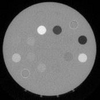
You may try the following:
clear; clc;
rawdata = imread('https://www.mathworks.com/matlabcentral/answers/uploaded_files/910580/@60%20visi.png');
[R,G,B] = imsplit(rawdata);
maskR = R>180 & R<260;
maskG = G>60 & G<140;
maskB = B>110 & B<190;
BW1 = maskR & maskG & maskB;
SE = strel('square',20);
BW2 = imclose(BW1,SE) | BW1;
BW2 = bwareafilt(BW2,2); % Optional, Just make sure 2 largest ROIs are selected
BW3 = bwlabel(imclearborder(~BW2),4);
figure
subplot(3,2,1)
imshow(R.*uint8(BW3==1));
title(sprintf('Red Channel Mean: ROI#1: %.2f',mean(R(BW3==1))));
subplot(3,2,2)
imshow(R.*uint8(BW3==2));
title(sprintf('Red Channel Mean: ROI#2: %.2f',mean(R(BW3==2))));
%
subplot(3,2,3)
imshow(G.*uint8(BW3==1));
title(sprintf('Green Channel Mean: ROI#1: %.2f',mean(G(BW3==1))));
subplot(3,2,4)
imshow(G.*uint8(BW3==2));
title(sprintf('Green Channel Mean: ROI#2: %.2f',mean(G(BW3==2))));
%
subplot(3,2,5)
imshow(B.*uint8(BW3==1));
title(sprintf('Blue Channel Mean: ROI#1: %.2f',mean(B(BW3==1))));
subplot(3,2,6)
imshow(B.*uint8(BW3==2));
title(sprintf('Blue Channel Mean: ROI#2: %.2f',mean(B(BW3==2))));

More Answers (0)
Categories
Find more on ROI-Based Processing in Help Center and File Exchange
Community Treasure Hunt
Find the treasures in MATLAB Central and discover how the community can help you!
Start Hunting!
